A Wachete alternative that reads the change for you
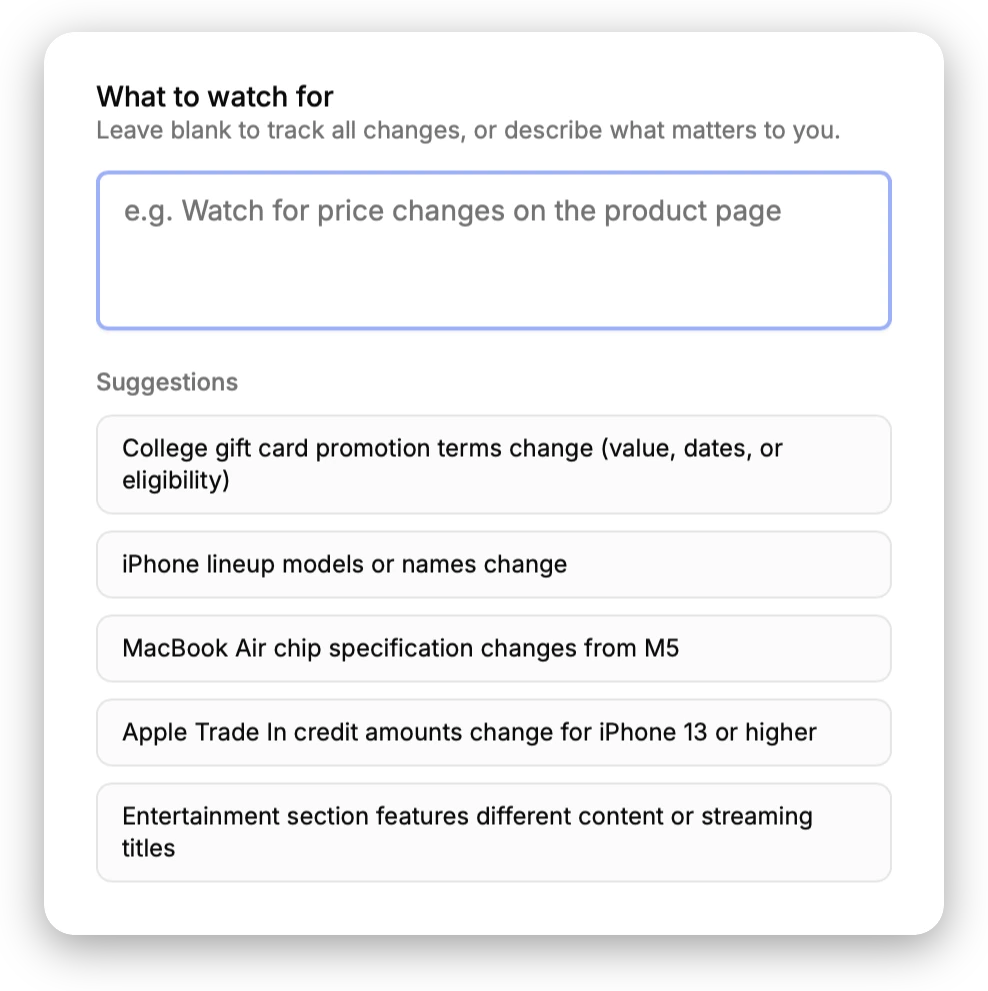
Wachete is the cheaper and broader tool: paid plans start at $5.40/month, and it covers mobile apps, browser extensions, login-protected pages, PDF and Office files, Telegram and Teams alerts, price charts and a 12-month history. PageDiff does two things it doesn't. You set a monitor up by describing what to watch in plain English instead of picking an element, and every alert is an AI-written summary with a graded significance score rather than a red-and-green diff. Both companies are European, but their infrastructure commitments differ: PageDiff keeps monitoring and storage in the EU, while Wachete describes servers in different locations around the world. If price and feature breadth decide it, Wachete wins; if you'd rather never think about page structure, PageDiff is the reason to switch.
Wachete has been at this a long time and it shows. The feature list is genuinely long and the entry price is genuinely low, and it is not a tool with obvious gaps to attack. The difference is one of approach: Wachete asks you to identify the part of the page to watch and then shows you what moved; PageDiff asks what you'd want to hear about and then explains what happened. The table below covers both directions, including the several places Wachete is straightforwardly ahead.
| Feature | Wachete | PageDiff |
|---|---|---|
| What to watch | Watch a whole page, a part of it, or a whole site including linked pages. You pick the part in a page preview; underneath it's an XPath, which you can edit, and its assistant can pick one for you. Selecting multiple parts of a page needs a paid plan; pages behind a login start at $10.90/month | Describe it in plain English, with no CSS selectors or XPath |
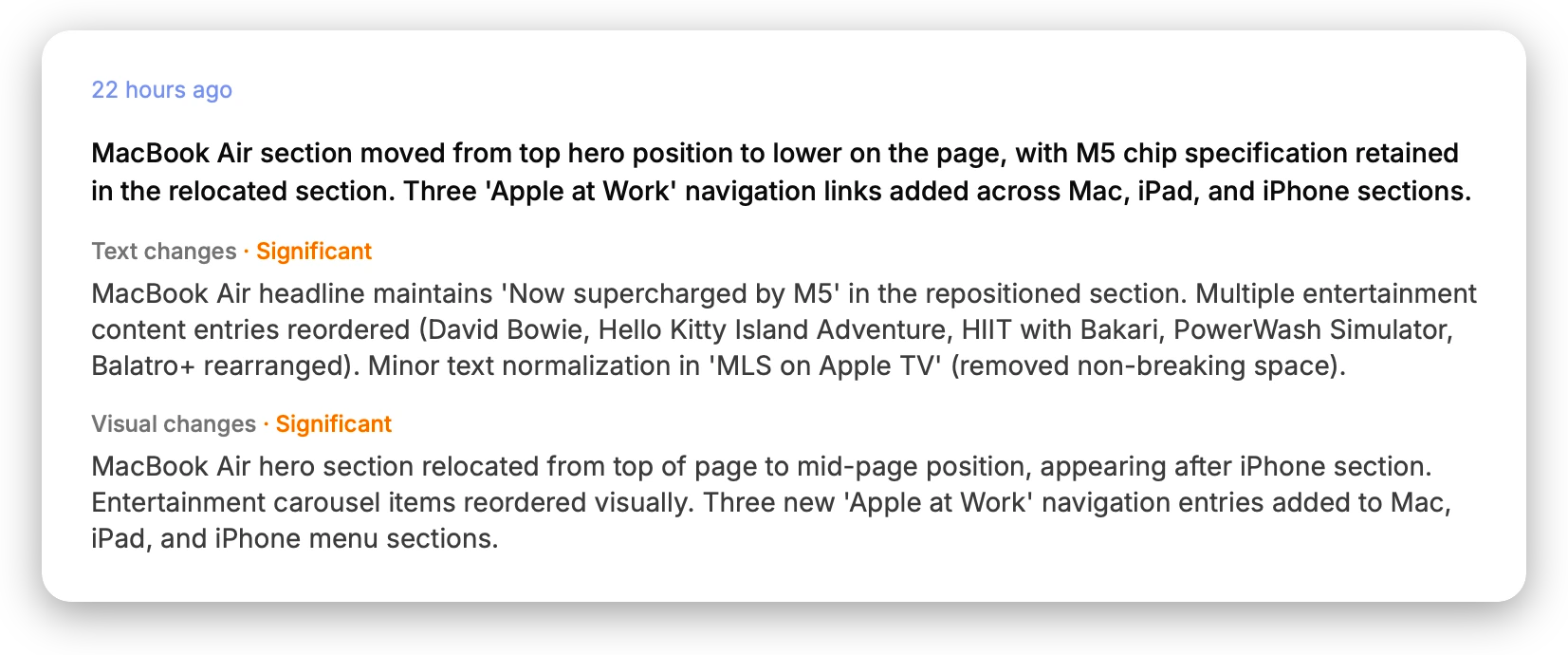
| Change detection | Shows exactly what moved as a diff, with added content in green and removed in red, and supports rules like a number rising above or falling below a threshold, text appearing or disappearing, or your own formula. No AI-written summary of a change and no significance score; its Claude/MCP integration connects an assistant to your monitors rather than summarizing alerts | AI writes a plain-language summary and scores how significant each change is |
| Alert channels | A wider set than PageDiff's: email, phone push, Slack, Teams, Discord and Telegram, plus webhooks, a REST API and Zapier, with optional daily or weekly digests | Email, Slack, Discord, and signed webhooks |
| Data residency | Wachete s.r.o. is a Prague, Czech Republic company governed by Czech law, so an EU operator like PageDiff. Its privacy statement doesn't commit to a storage location, saying information may be stored in and transferred between any of the countries in which it operates, and its FAQ says monitoring runs on servers in different locations around the world | Hosted in the EU; GDPR-compliant, EU-operated |
| Getting started | A free plan that doesn't expire (5 static pages, 1 dynamic page, daily checks) and paid plans from $5.40/month for 50 pages. Notably, no monthly check cap on any plan: you pay for pages and interval | 14-day free trial of the Starter plan: 10 monitors and 1,000 checks/month |
| Plan differences | Plans differ by scale and by capability. JavaScript-rendered ("dynamic") pages have their own small quota, at 1 on the free and $5.40 plans, 2 at $10.90 and 10 at $54.90, while login-protected pages ($10.90), PDF/Word/Excel monitoring ($54.90), multi-element selection and the full 12-month history are tied to specific tiers | Every plan is fully featured; plans differ only by scale |
Wachete's details were verified against www.wachete.com in August 2026, and this comparison is dated so you can see how current it is. Products change, so if anything here is out of date, tell us and we'll correct it.
Breadth, or interpretation
Wachete’s model is: point at the part of the page you care about. You paste a URL, a preview loads, and you select the bit to watch, whether that’s a price, a headline or a status. Underneath, that selection is an XPath, which you can edit by hand, and Wachete’s assistant can pick one for you if you’d rather describe the page than click it. Then you choose the rule: alert me on any change, or when this number drops below X, or when this text disappears. When something moves, you get a diff, with added content in green and removed in red.
It’s a good model. It’s also a model built on page structure, and structure is the thing that changes underneath you. A redesign can move the element, and when it does a selector-based monitor either breaks or quietly starts watching something else.
PageDiff asks the other question: not “which part of the page?” but “what would you want to hear about?” You answer in plain English, something like “tell me if the pricing table changes, but ignore the cookie banner and the footer”, and that sentence is the monitor. Nothing to select, no structure to depend on. When the page moves, an AI writes up what happened and scores how significant it is.
That’s the actual split between these two tools, and it’s worth being clear that it’s a preference, not a verdict. If you like picking elements, Wachete’s picker is friendly and its rules engine, with thresholds, formulas and values combined across pages, goes further than ours.
What PageDiff does instead
Plain English is the setup, not a shortcut to a selector. Wachete’s assistant can find an XPath for you, which is genuinely useful, but the monitor is still that XPath. With PageDiff there’s no selector to be right or wrong. The description is the thing being monitored, so a redesign that moves the pricing table has nothing to break.
You get a judgement, not just a diff. Green-and-red is precise, and it’s fast to scan for one monitor. Across thirty, the question stops being what changed and becomes does this matter. PageDiff writes a plain-language summary and grades each change, so a reworded heading and a dropped plan don’t arrive looking identical.
No dynamic-page quota. This is the one that surprises people, and it’s the number in the table worth pausing on. Wachete counts JavaScript-rendered pages against a separate, much smaller allowance, so a plan that says 50 pages may watch far fewer of the sites you actually had in mind, since plenty of pricing pages, job boards and dashboards render client-side. PageDiff makes no distinction: every monitor is the same monitor.
Every plan is fully featured. Wachete ties capabilities to tiers: multi-element selection, the full history, login-protected pages, file monitoring. PageDiff plans differ only by scale, in monitors, checks, interval and retention, never in what the product can do.
Where Wachete beats us
- Price. $5.40/month for 50 pages, with no cap on the number of checks. PageDiff’s Starter is $10/month for 10 monitors and 1,000 checks. On cost per page, Wachete wins outright.
- Apps and extensions. iOS, Android and Windows apps, plus one-click extensions for Chrome, Firefox and Edge. PageDiff is cloud-only: nothing to install, but also nothing on your phone.
- Pages behind a login. Wachete can sign in and watch pages that need a username and password. PageDiff checks pages from the cloud and can only reach what’s publicly reachable. If your target is behind an account, this comparison is already over.
- Files. Text inside PDF, Word and Excel documents, and detection when a file itself changes. PageDiff watches web pages.
- More channels. Telegram, Microsoft Teams and phone push on top of email, Slack, Discord and webhooks, with daily or weekly digests. PageDiff’s set is smaller.
- Depth in the rules engine. Numeric thresholds, custom formulas, values combined across several pages, five-year price charts, spreadsheet export, RSS feeds, whole-site crawling, multi-region checks, and certificate and header monitoring for your own site.
If any one of those is what you came for, use Wachete.
Facts, or verdicts
Ask what you want the alert to be. If you want the facts, as in this value went from 49 to 39, here’s the diff, here’s the chart, and you want them cheaply, across many pages, possibly behind a login or inside a PDF, Wachete is the better tool and the better price.
If you want the verdict, meaning what changed, in a sentence, with a score telling you whether to open it, and you’d rather describe what matters than pick the part of the page that holds it, that’s what PageDiff is for.
Point PageDiff at a page you actually care about below, no account and nothing to install, or compare the plans.
Try PageDiff on any page
Paste a public URL to see the live capture and the watch conditions PageDiff suggests, right here, no signup.