Monitor any web page for changes.
Tell PageDiff what to watch in plain English. It checks on your schedule and uses AI to tell you what changed — and why it matters. Alerts by email, Slack, Discord, or webhook.
How it works
- 1
Add a page
Enter any URL and get a live snapshot in seconds.
- 2
Choose what matters
Describe it in plain English ("tell me when the pricing or headline changes"), or watch the whole page.
- 3
Get AI-powered alerts
On your schedule, PageDiff catches changes and sends a plain-language summary of what changed and why it matters — by email, Slack, Discord, or webhook.
What PageDiff does
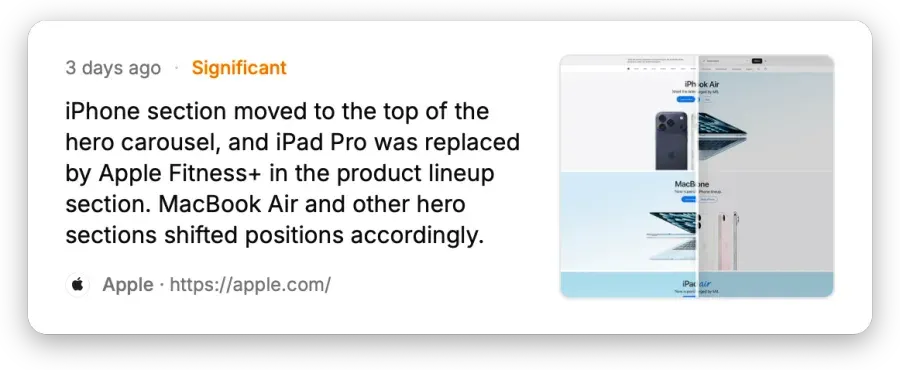
AI summaries that cut the noise
Reads every change, writes a plain-language summary, and scores how significant it is — so you're not pinged for a reordered footer.
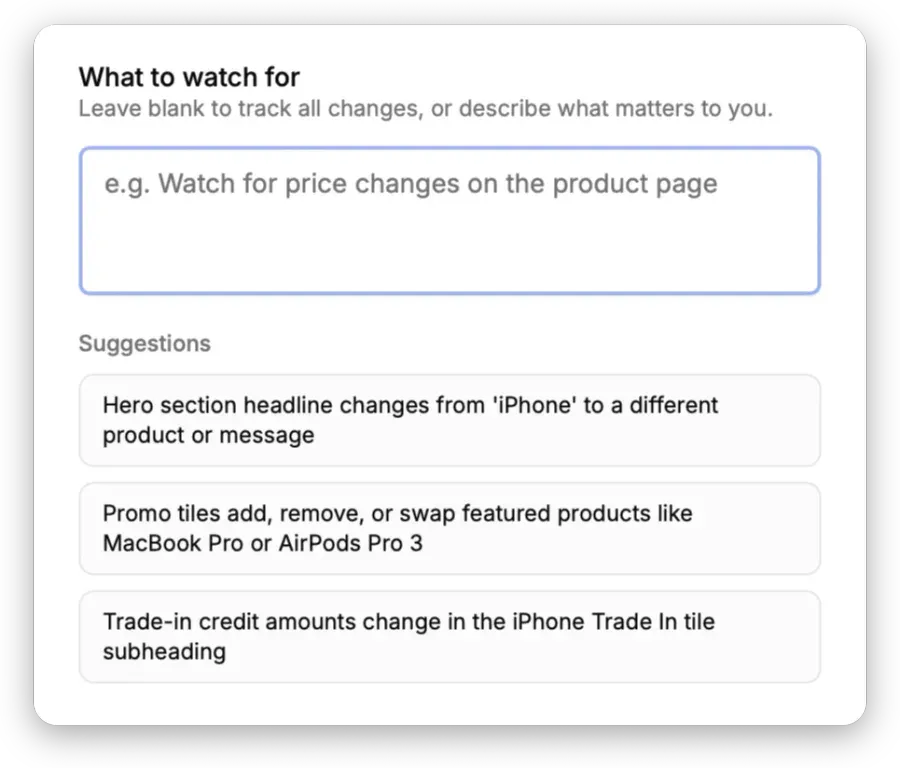
Plain-English watch conditions
No brittle CSS selectors or XPath. Describe what counts as a change, and get alerted only when it actually happens.
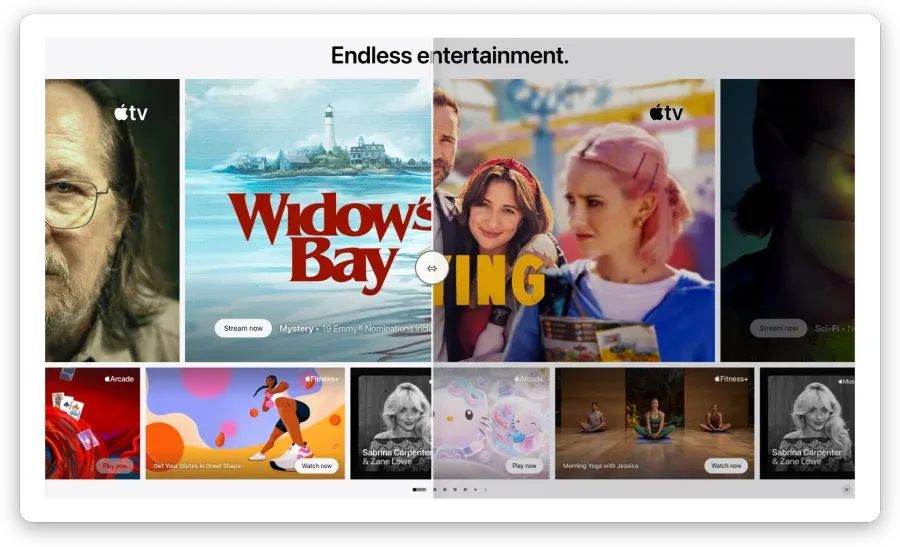
Text, visual & HTML diffs
Compare side-by-side text, pixel-level visual, and raw HTML — see exactly what moved.
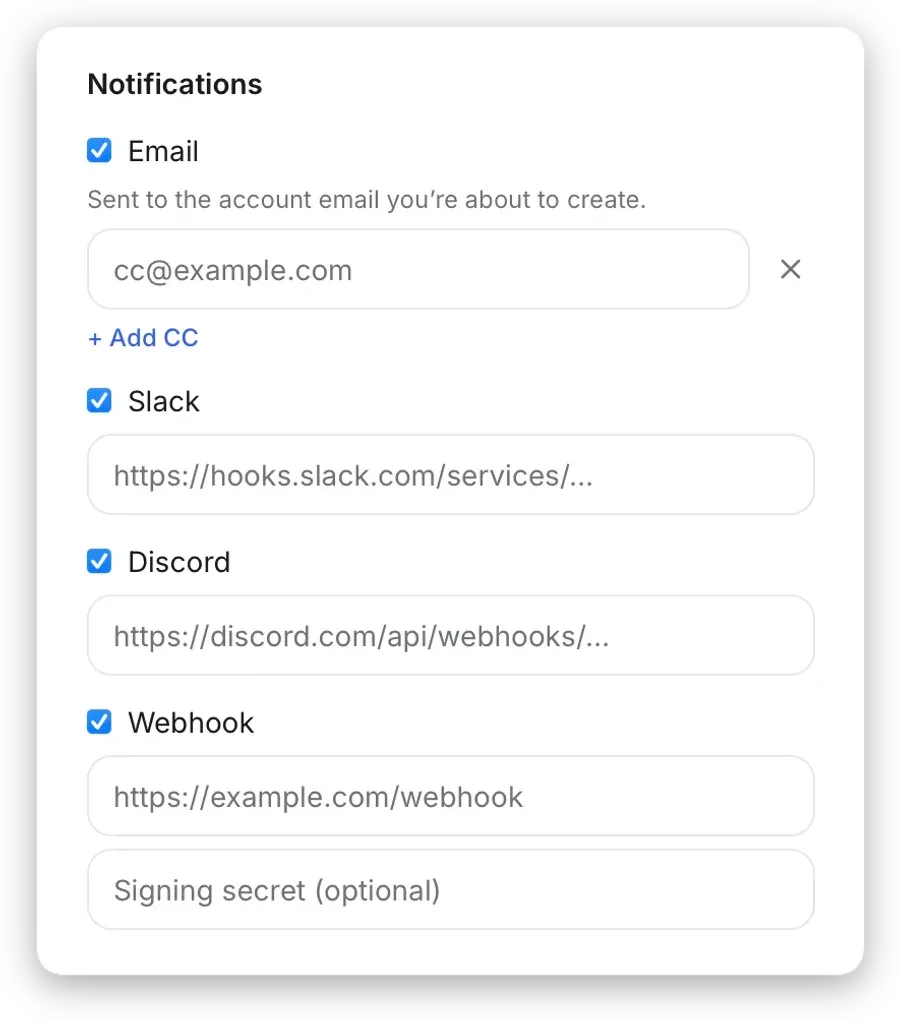
Alerts on your channels
Email, Slack, Discord, or a signed webhook. Add CC recipients and set a significance threshold so only meaningful changes reach you.
Monitor any public page
A few of the things teams keep an eye on with PageDiff.
-
Competitor & product pages
Know the moment a rival ships a feature, reprices, or shifts its positioning.
-
Terms, policies & docs
Catch a changed liability clause, privacy rule, or API doc the day it lands.
-
Announcements & content
Stay on top of release notes, blog posts, and news the instant they publish.
-
Compliance & regulatory pages
Get alerted when a government, legal, or standards page is quietly updated.
-
Job postings & listings
Spot new roles, pulled listings, and hiring signals as they appear.
-
Landing & marketing pages
See competitor campaigns and pricing-page copy the moment they change.
If it has a public URL, PageDiff can watch it.
Start monitoring a page →What to expect
-
Preview free, no card
See any page work before you create an account — no signup, no credit card.
-
Your data stays private
Snapshots are tied to your account, never shared or sold. Delete a monitor or your whole account anytime.
Security → -
Cancel anytime
No contracts, no cancellation fees; keep access through the period you've paid for.
Pricing →
Frequently asked questions
Do I need a credit card to try it?
To monitor a page you'll need a plan, which requires a card — Starter includes a 14-day trial; Pro and Business bill immediately. You can preview a page first without an account.
What can I monitor?
Any public web page — the whole page or a specific part — and you describe in plain English what counts as a change.
How often does PageDiff check?
From hourly to daily on Starter, as often as every 15 minutes on Pro and every 5 minutes on Business.
How does the AI help?
It reads each change, summarizes it in plain language, and scores its significance so you're alerted to what matters.
Is my data secure?
Your snapshots are private to your account and never shared or sold; delete a monitor or your account anytime. Security →
Can I cancel anytime?
Yes — no contracts or cancellation fees. Cancel whenever you like and keep access through the period you've paid for.
Never miss a change that matters.
Tell PageDiff what to watch in plain English, and get an AI summary of what changed — and why it matters — by email, Slack, Discord, or webhook.
- Slack
- Discord
- Webhook
Preview free, no signup · 14-day trial when you're ready · Cancel anytime